


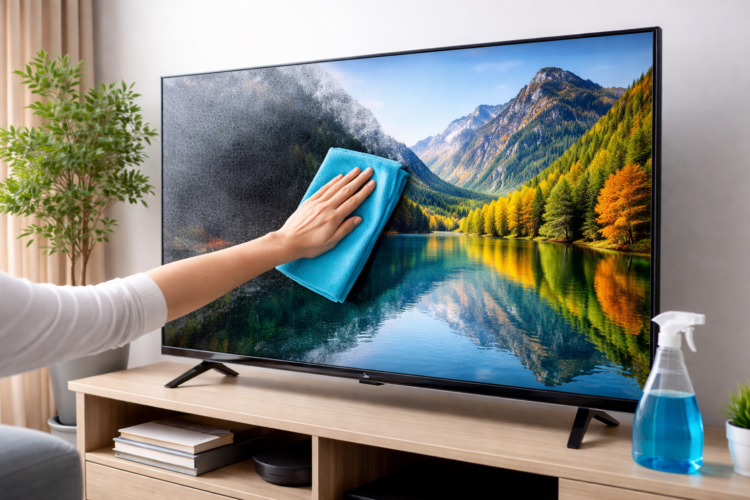
Modern televisions such as LED, OLED, and QLED screens provide ultra-clear visuals, 4K resolution, and smart features. However, over time, dust, fingerprints, smudges, and environmental particles accumulate on the display and reduce picture clarity. Studies and expert cleaning guides indicate that even a thin layer of dust can affect screen brightness and contrast, making images appear dull.
Regular cleaning and proper maintenance can significantly improve picture quality and extend the lifespan of your television. This comprehensive guide explains the quick and effective method to restore your TV screen to like-new condition, using safe techniques recommended by experts.
Why TV Screens Lose Their “Like-New” Look


Television displays attract dust because of static electricity generated by electronic components. Over time, common issues appear, including:
- Dust buildup
- Fingerprints and oil marks
- Smoke or cooking residue
- Pet hair and airborne particles
Flat-screen TVs also contain anti-reflective coatings and delicate LCD or OLED layers, which can be damaged if cleaned incorrectly. Harsh chemicals or rough cloths may permanently scratch or discolor the display.
Essential Tools Required For Safe TV Screen Cleaning
Before cleaning, gather the right tools. Using the correct materials ensures you restore your TV screen safely.
| Cleaning Tool | Purpose | Important Notes |
|---|---|---|
| Microfiber Cloth | Removes dust and fingerprints safely | Soft and lint-free to avoid scratches |
| Distilled Water | Removes stubborn smudges | Prevents mineral marks |
| Screen-Safe Cleaning Solution | Optional cleaning aid | Must be free of alcohol or ammonia |
| Cotton Swabs | Cleans corners and edges | Use gently |
| Soft Brush Or Air Blower | Removes dust from vents | Avoid direct pressure |

Experts consistently recommend microfiber cloths because they remove dirt without scratching sensitive displays.
Step-By-Step Method To Restore Your TV Screen
1. Turn Off And Unplug The TV
Always start by turning off and unplugging the television. A powered screen may show streaks less clearly and can pose electrical risk during cleaning.
This step also allows you to see dust and fingerprints more easily.
2. Remove Loose Dust First

Use a dry microfiber cloth to gently wipe the surface.
Best practices:
- Use light pressure
- Move the cloth slowly across the screen
- Avoid rubbing aggressively
This removes the majority of dust particles without grinding them into the display.
3. Remove Smudges And Fingerprints
If marks remain:
- Slightly dampen the microfiber cloth with distilled water.
- Wring it until almost dry.
- Wipe gently in circular or straight motions.
Distilled water is preferred because it leaves no mineral residue or streaks.
Never spray liquid directly onto the screen.
4. Clean Edges, Ports, And Vents
Dust often accumulates around TV edges and ventilation slots.
Maintenance tips:
- Use cotton swabs for corners
- Use compressed air for ports
- Clean ventilation areas annually
Clogged vents can cause overheating and reduce device performance.
5. Allow The Screen To Dry Completely
Before reconnecting power:
- Wait a few minutes for the screen to dry.
- Inspect for streaks.
- Wipe gently with a dry cloth if necessary.
Once dry, plug the TV back in and enjoy the improved picture clarity.
Cleaning Frequency For Best Results
Experts recommend cleaning your TV screen every 2–4 weeks, depending on environmental dust and usage. Regular cleaning prevents heavy buildup and maintains optimal picture quality.
Suggested schedule:
- Weekly: Light dust wipe
- Monthly: Full screen cleaning
- Yearly: Deep cleaning including vents and ports
What You Should Never Use On Your TV Screen
Using incorrect cleaning products can permanently damage the screen coating.
Avoid the following items:
- Ammonia-based cleaners
- Glass cleaners
- Alcohol wipes
- Vinegar solutions
- Paper towels
- Rough cloths
- Excess water
These products can strip protective layers and create permanent streaks or scratches.
Advanced Tips To Keep Your TV Looking New
To maintain long-term picture quality, follow these professional maintenance tips.
Reduce Dust In The Room
Use air purifiers or clean furniture regularly to reduce airborne particles.
Adjust Brightness Settings
Running a TV at maximum brightness constantly can shorten panel lifespan.
Update Software Regularly
Firmware updates often fix performance issues and improve system efficiency.
Use Surge Protection
A surge protector helps prevent damage caused by sudden power spikes. These habits improve both screen clarity and device longevity.
Benefits Of Proper TV Screen Maintenance
Regular cleaning and maintenance provide several advantages:
- Improved picture clarity
- Enhanced color accuracy
- Longer display lifespan
- Better viewing experience
- Prevention of permanent screen damage
Even a 10-minute cleaning session can dramatically improve visual quality and viewing comfort.
Future Trends In TV Screen Maintenance
With the rapid evolution of 8K displays, OLED panels, and Mini-LED technology, screen surfaces are becoming more sensitive yet more advanced. Future television designs are expected to include:
- Self-cleaning coatings
- Dust-resistant nano surfaces
- Automatic screen maintenance modes
- AI-based image calibration
These innovations will reduce manual cleaning needs and maintain display quality for longer periods.
Conclusion
Restoring your TV screen to a like-new condition is simple when you follow the correct method. Using a microfiber cloth, distilled water, and gentle cleaning techniques can remove dust, fingerprints, and smudges without damaging the display.
Regular maintenance every few weeks ensures clear picture quality, longer device lifespan, and a better viewing experience. As television technology continues to evolve with OLED, QLED, and 8K displays, adopting proper screen care practices will remain essential for preserving performance and visual brilliance.
FAQs
1. What Is The Safest Way To Clean A TV Screen?
The safest method is using a soft microfiber cloth, lightly dampened with distilled water if needed, while the TV is turned off.
2. How Often Should You Clean Your TV Screen?
Cleaning every 2–4 weeks is recommended to prevent dust and fingerprint buildup and maintain picture quality.
3. Can I Use Glass Cleaner On My TV Screen?
No. Glass cleaners contain chemicals like ammonia and alcohol that can damage the protective coating of modern TV screens.